How it works
From new client to paid bill: how one engagement moves through T4Suite
Follow one piece of work from the day a client comes in to the day they pay. At each stage: what the person there does, and the one thing T4Suite will not let them get wrong.
- 1
A new client
The office
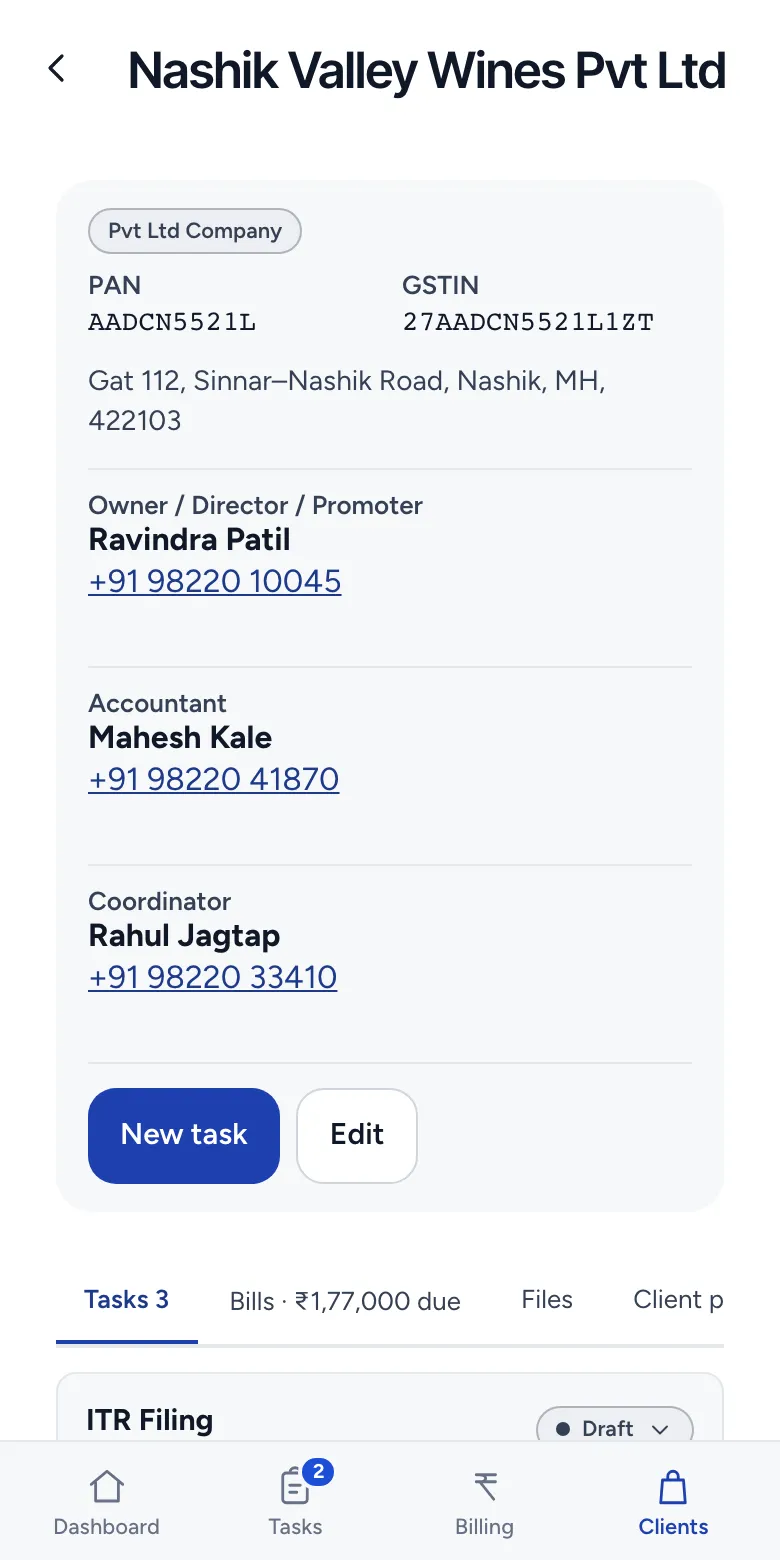
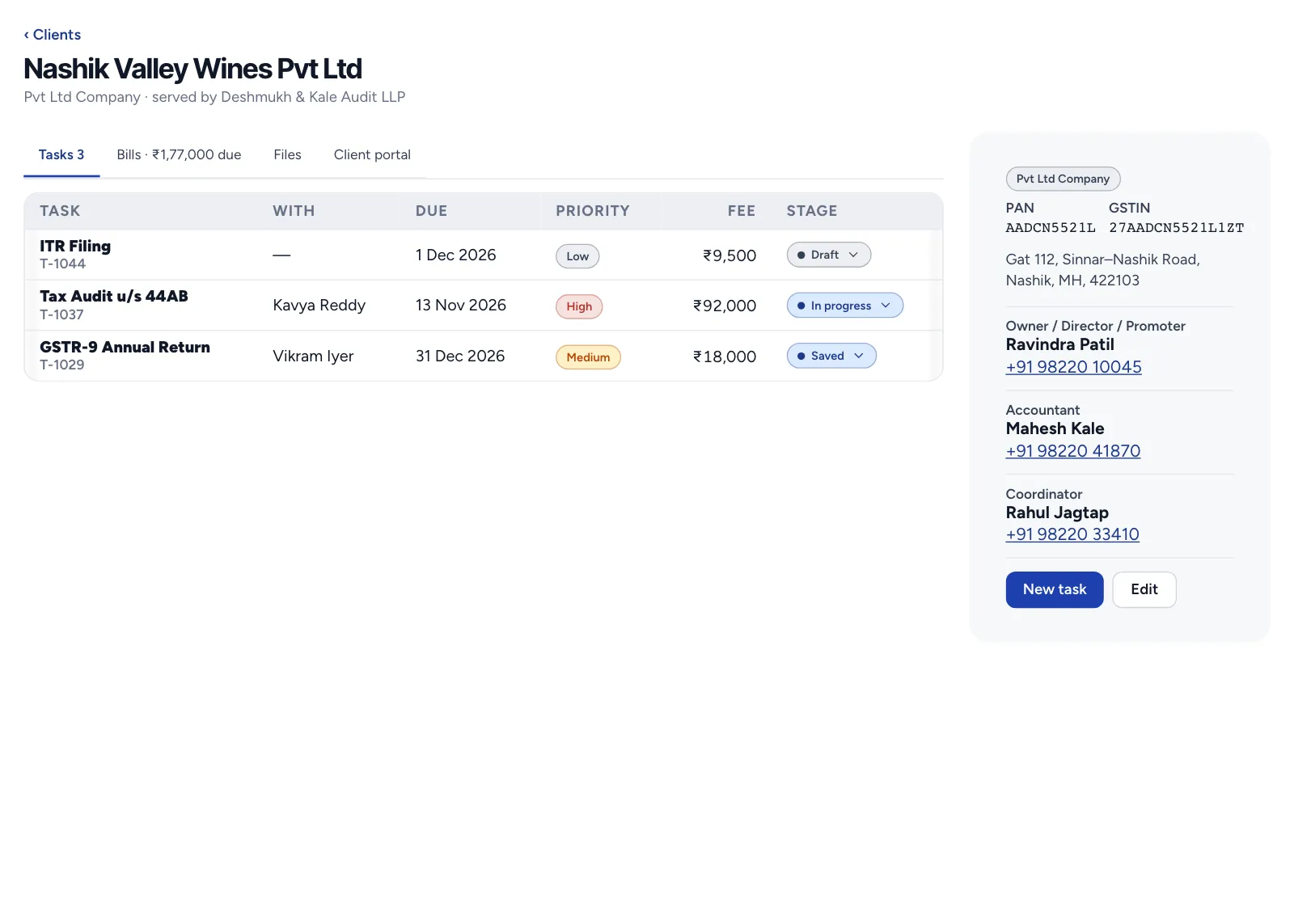
Adds the client, with the legal entity of yours that serves them and their GST details. Everything after this hangs off that one record.
A second client with the same name is refused, and so is a client marked GST registered with no GSTIN.
- 2
The work, set up once
The partner or manager
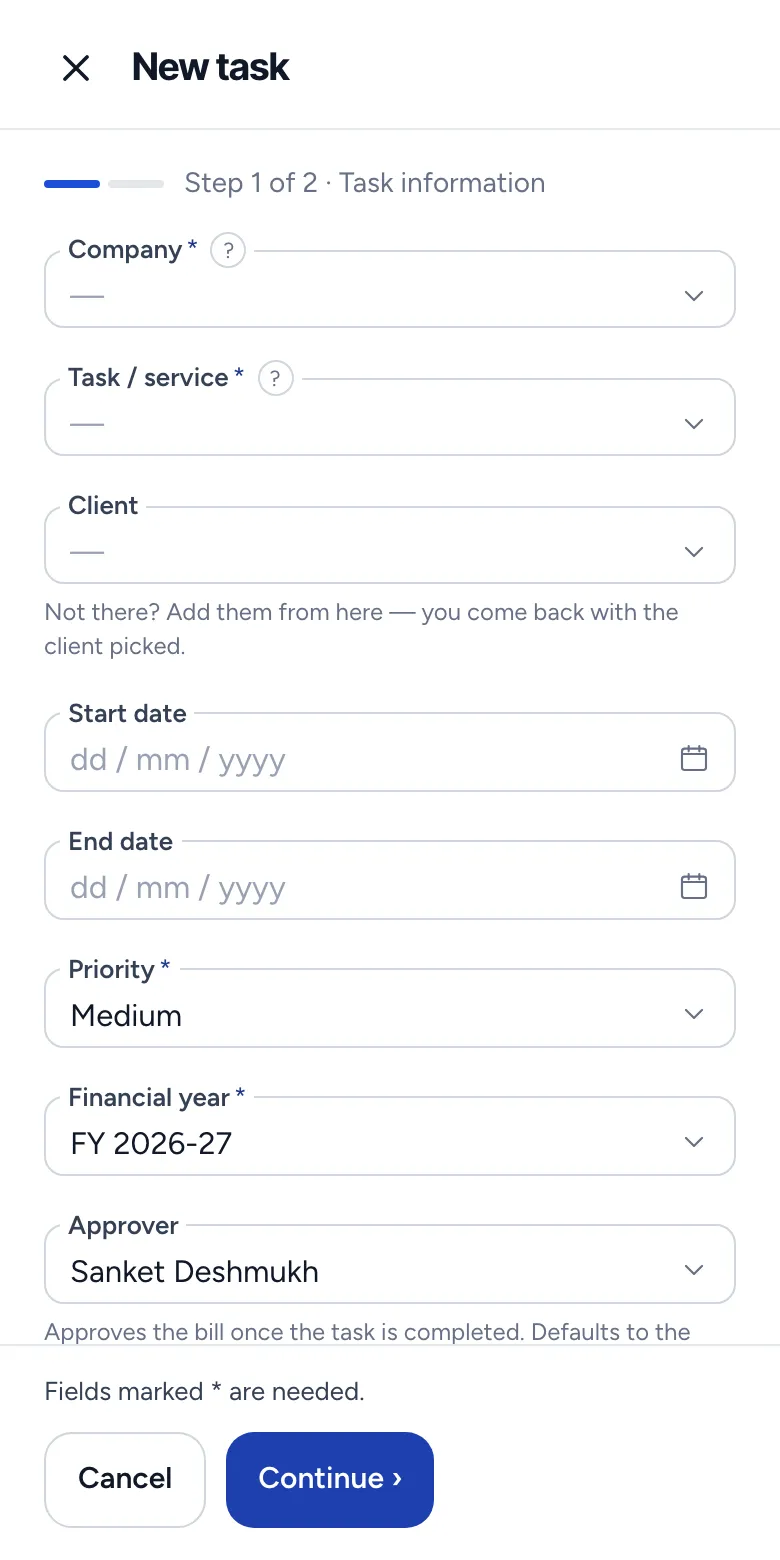
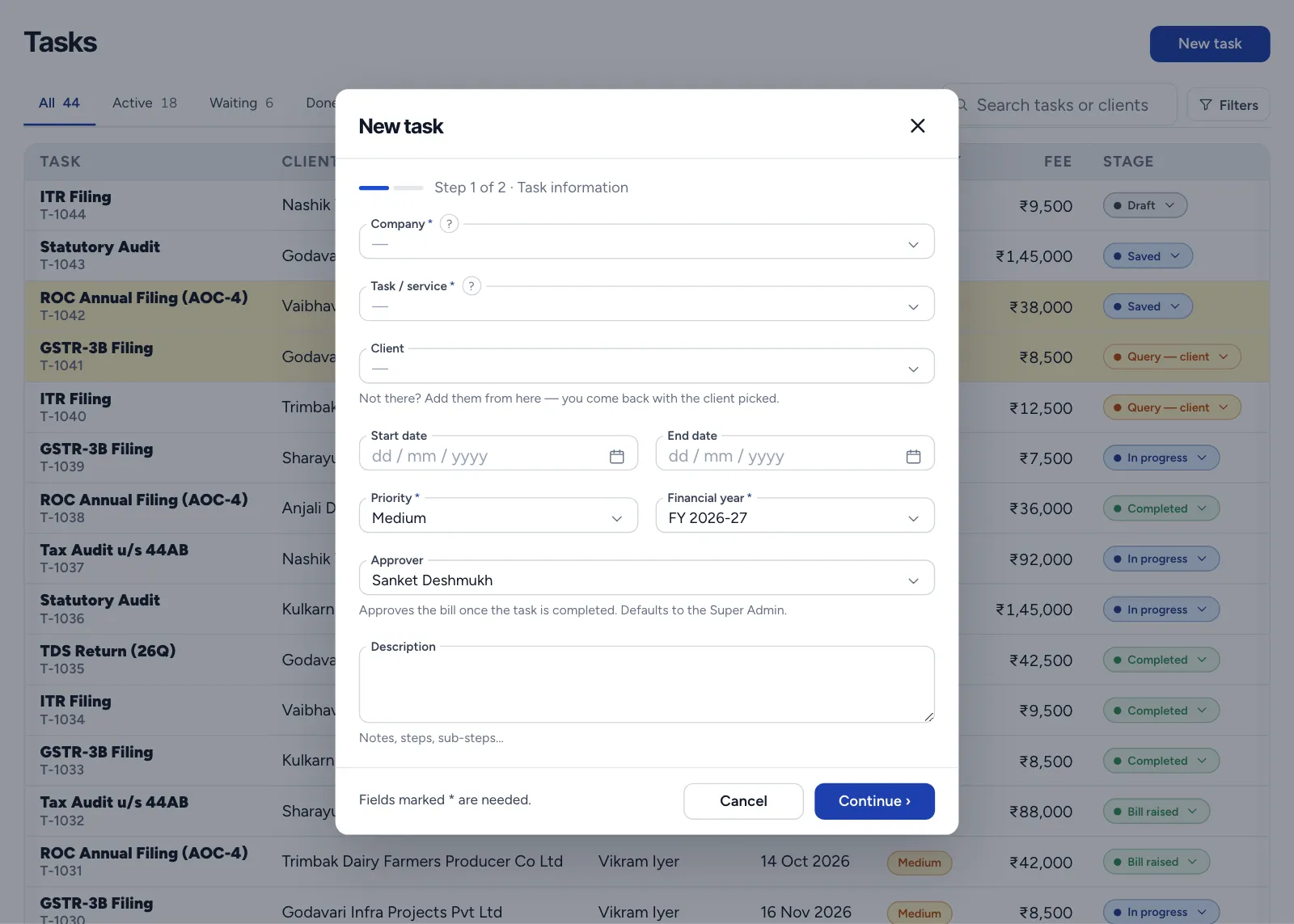
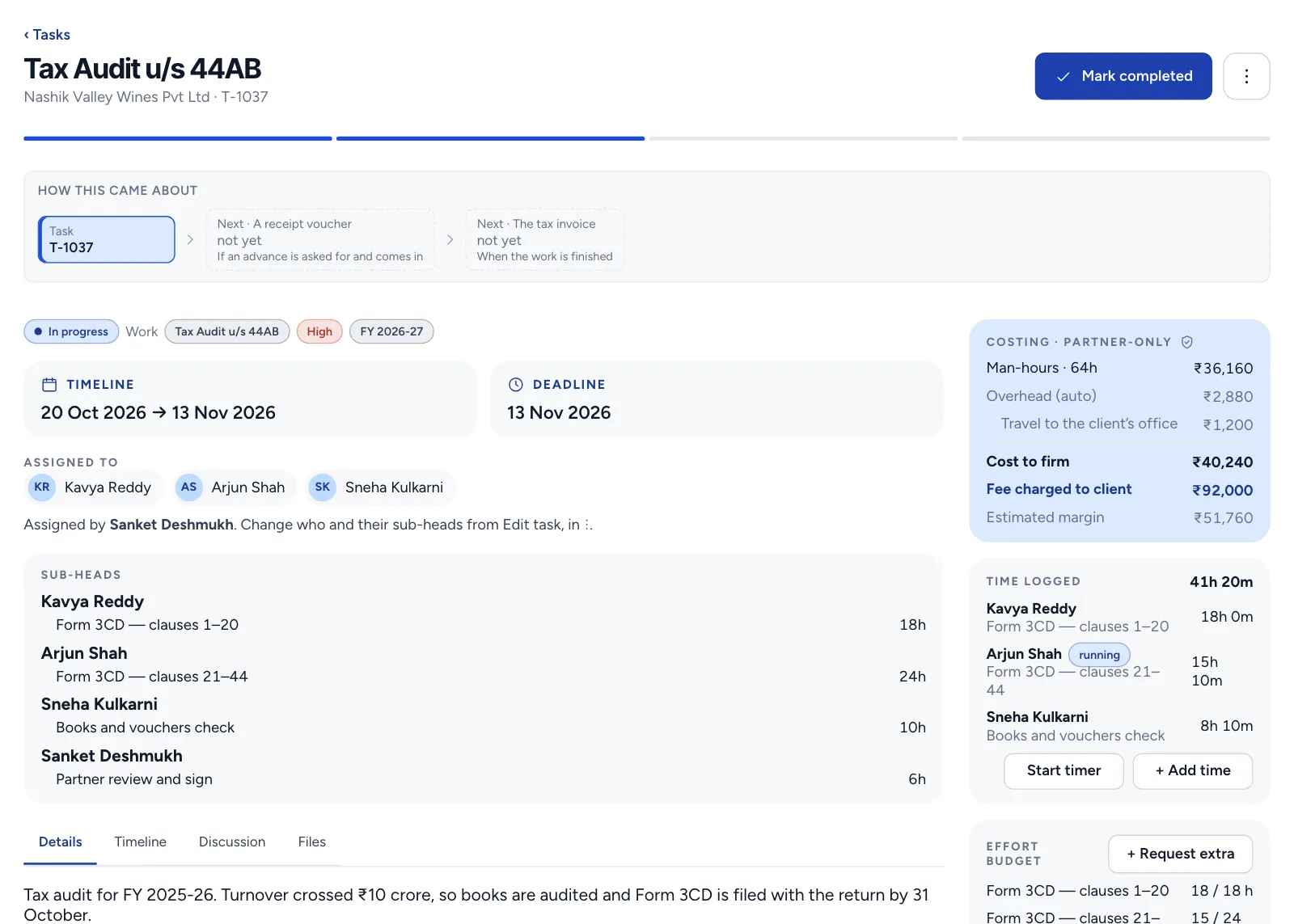
Creates the task: the service, the people, the dates and the fee. A return that repeats becomes a series, and each period's task appears by itself.
Only someone with the right to assign work can create a task, only people in the firm can be assigned to it, and setting the fee and costing needs a right of its own.
- 3
On the team's list
The associate
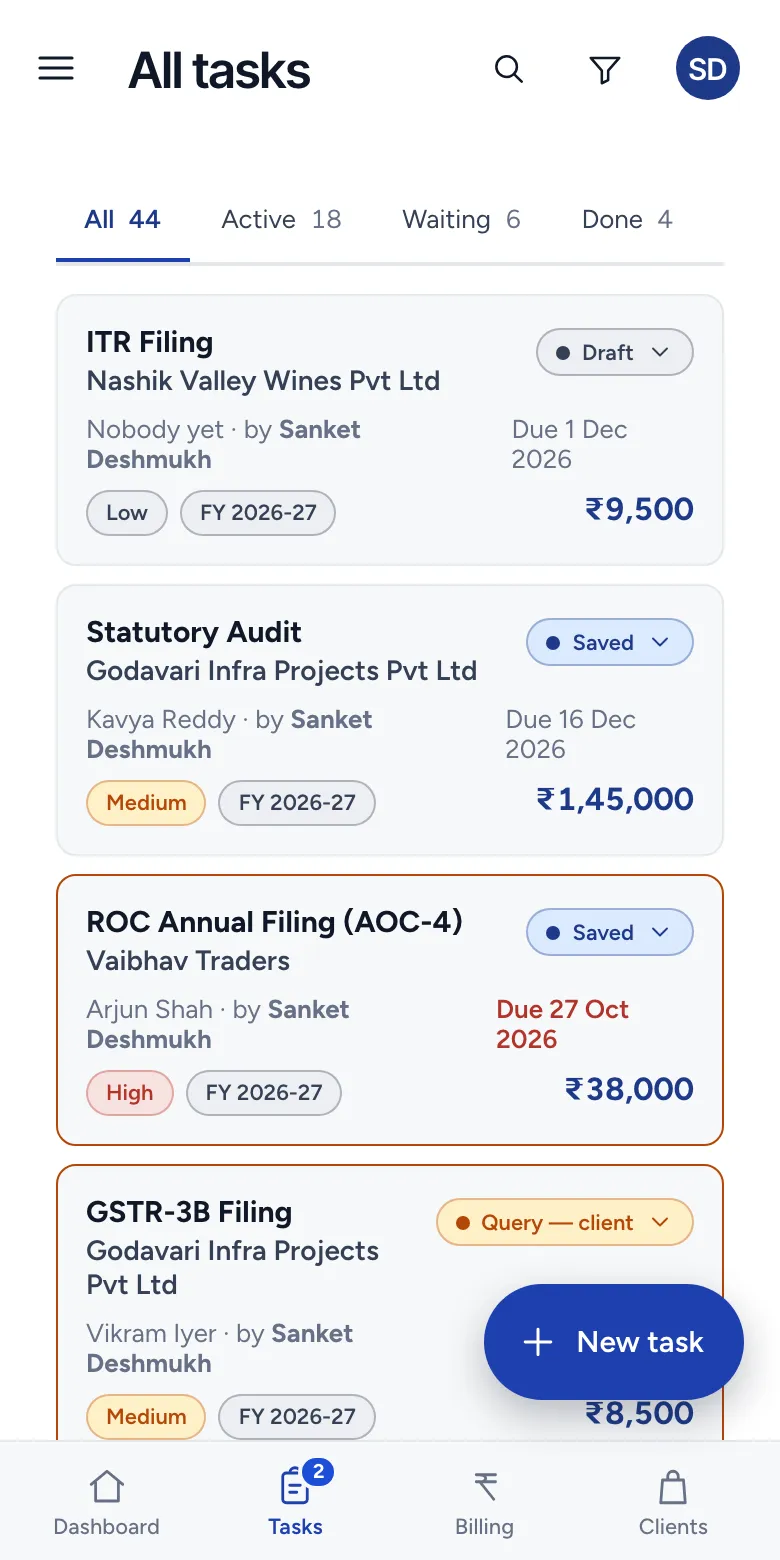
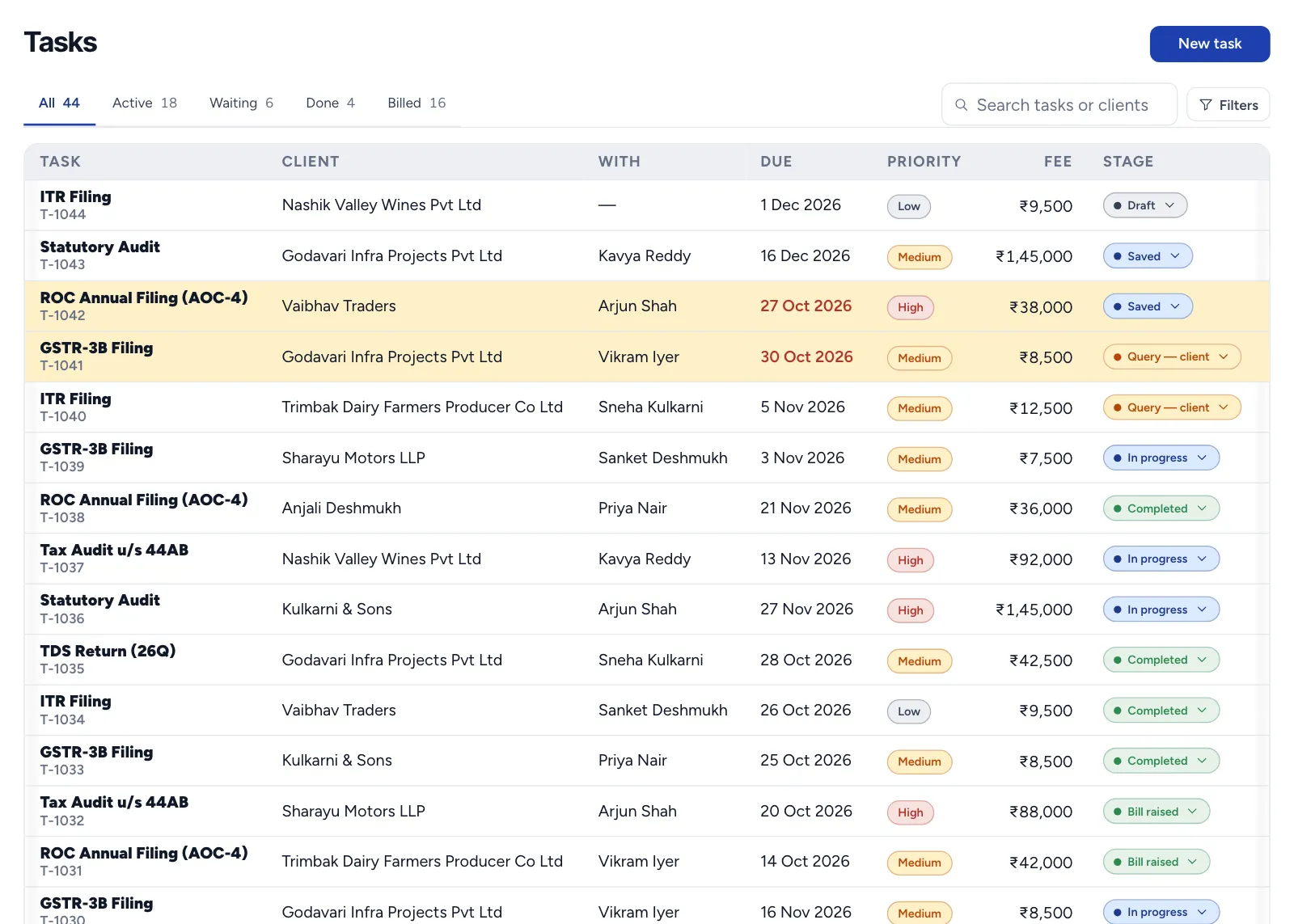
Sees what is assigned, due date first, moves it to in progress and logs time against it.
Only someone assigned to the task can run a timer on it, and only while the task is in progress. When the task leaves that stage, the timer stops by itself, capped at 12 hours.
- 4
An advance, if the firm asks for one
Whoever raises bills
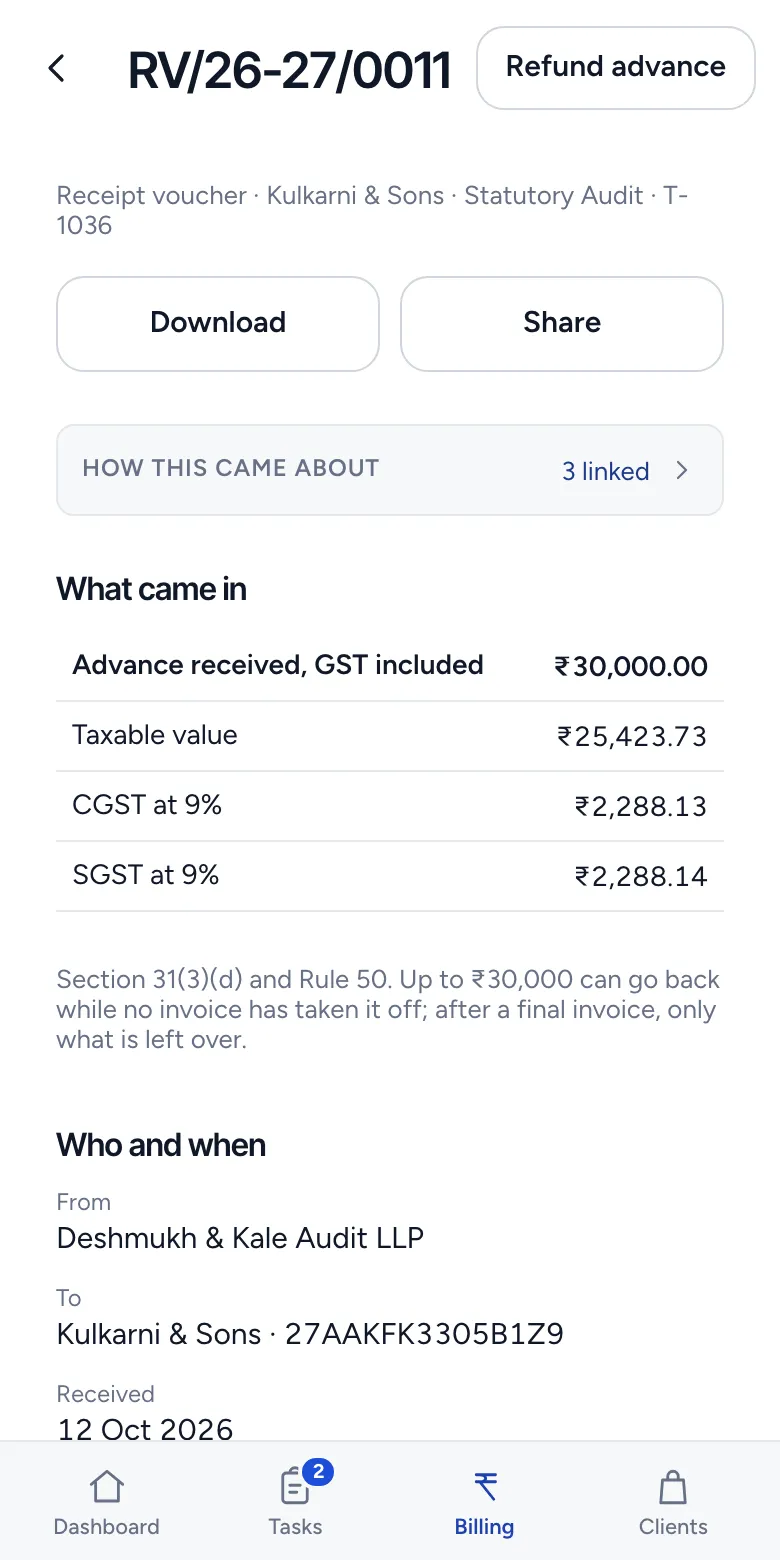
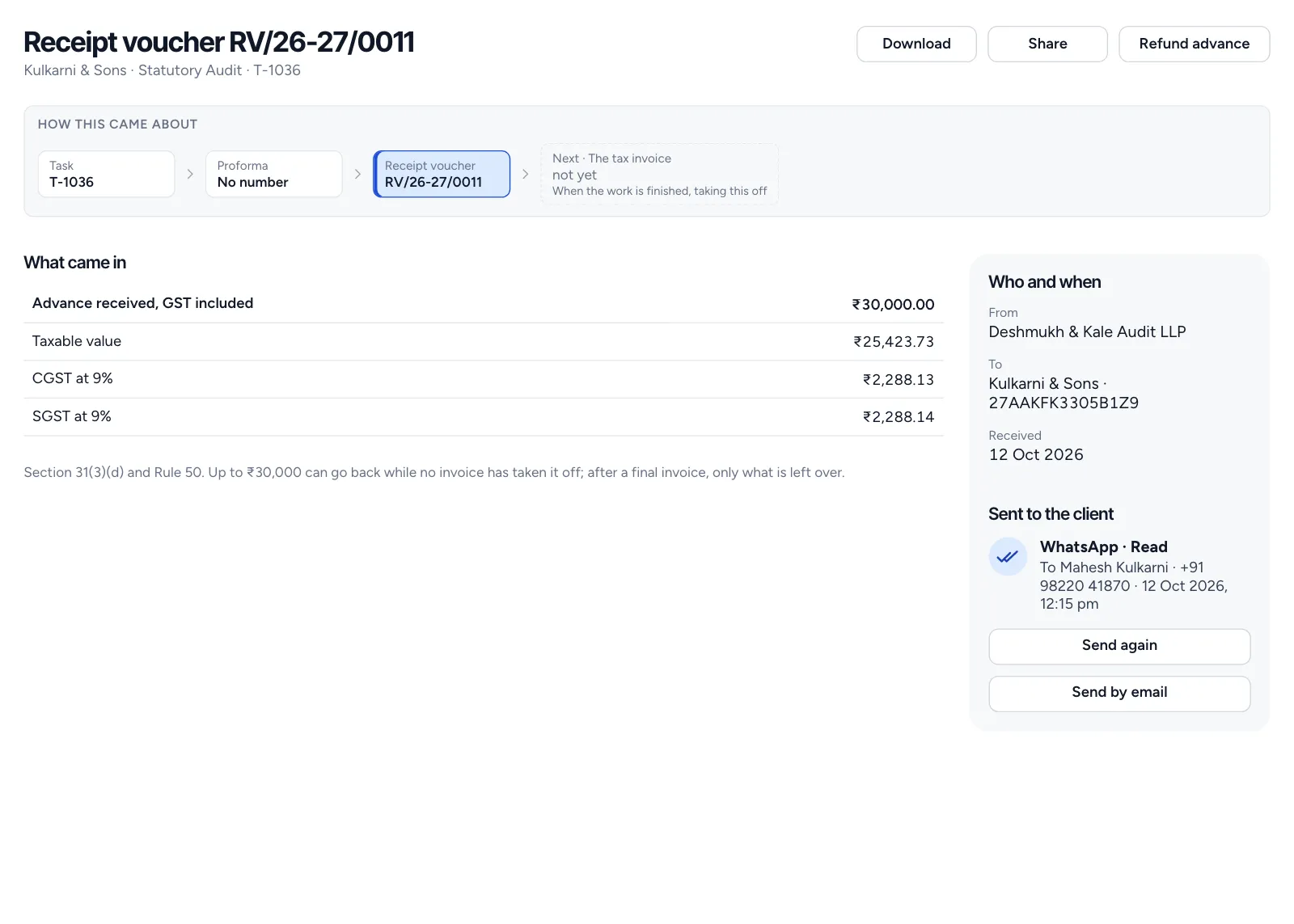
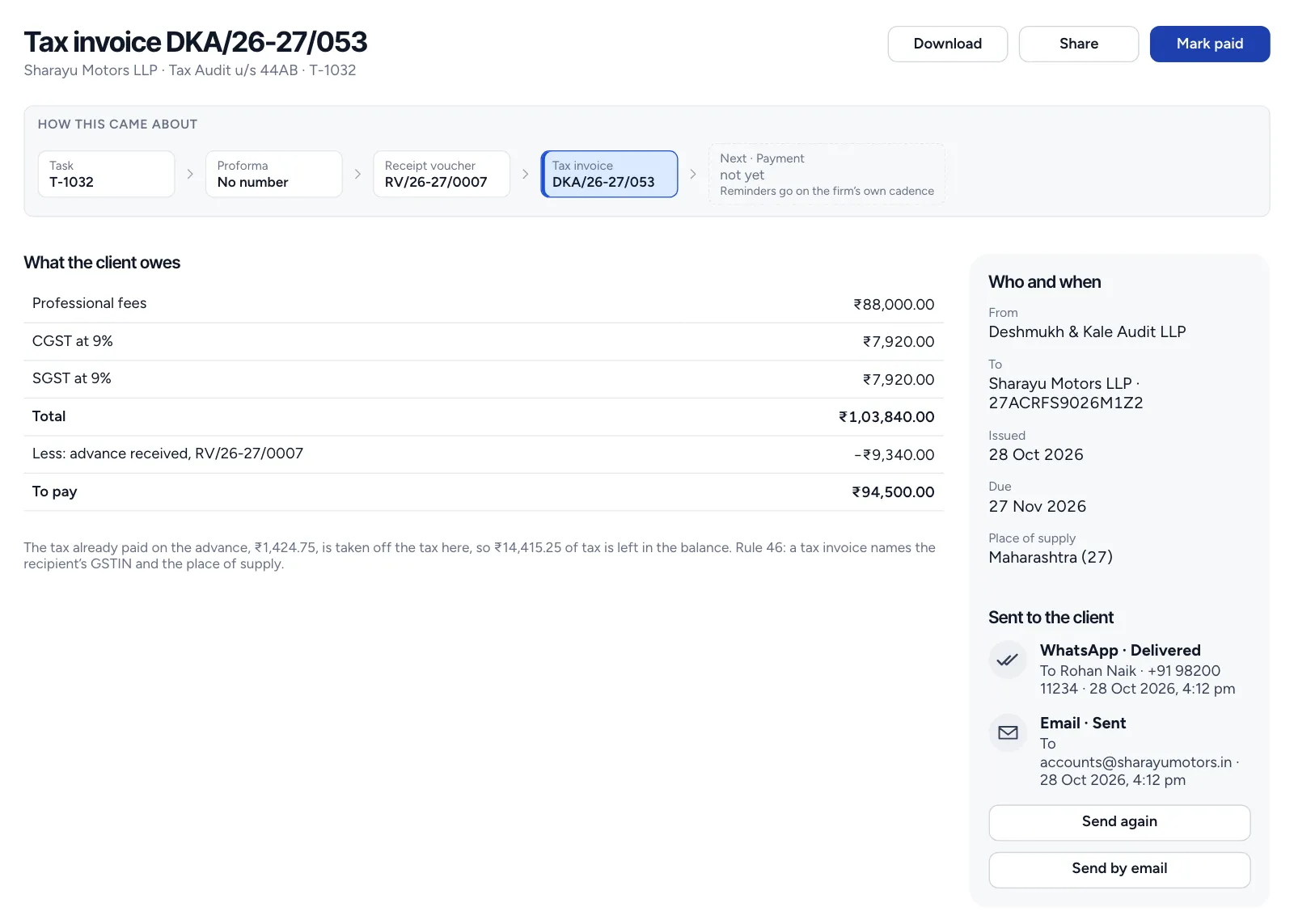
Sends a proforma with no number. When the money comes in, it is recorded on a receipt voucher, with the tax inside the amount received.
A proforma is no tax invoice, so no tax falls due on money that may never arrive. Asking for an advance needs the right to raise bills.
- 5
Waiting on the client
The associate
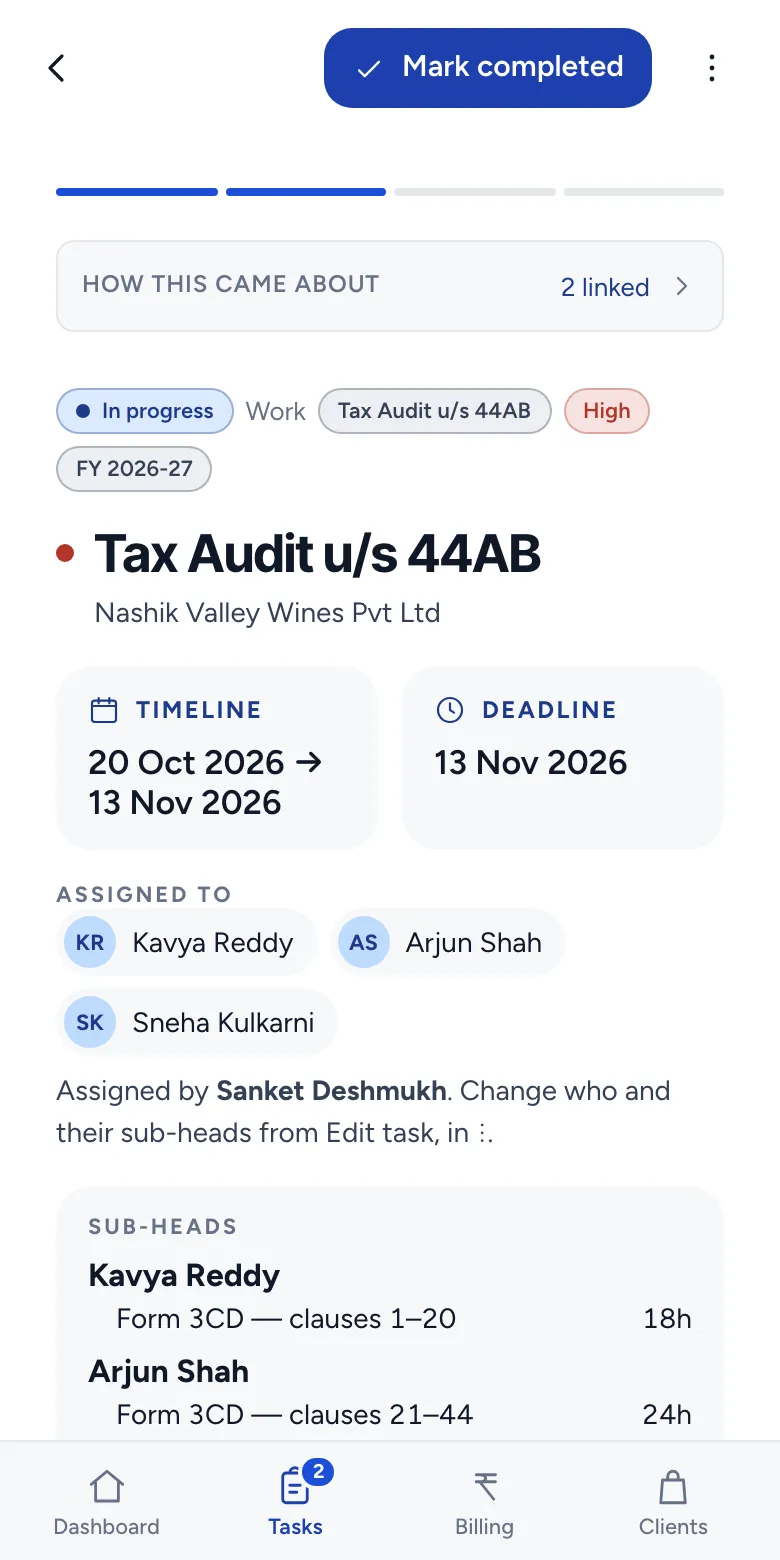
Raises a query when a document is missing. The task shows as waiting, so the partner sees the reason without asking.
A task waiting on a query cannot be marked completed. It goes back to in progress first, and leaving in progress stops any running timer.
- 6
Completed, and costed
The team, then the partner
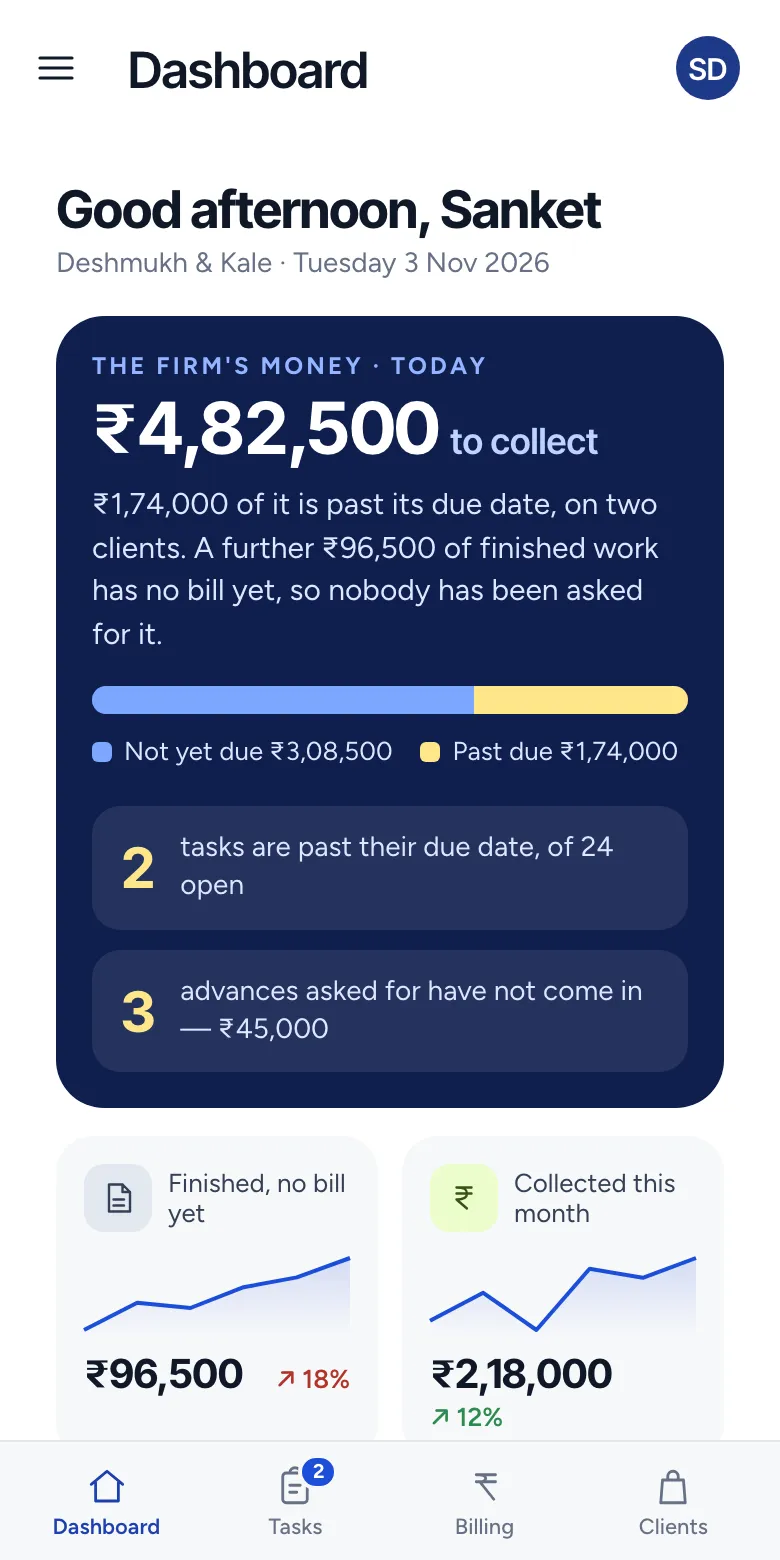
The work is marked completed with its date, and it joins the finished work with no bill yet. The partner sees what it cost: each person's hours and the overhead, against the fee.
A completion date in the future is refused, and choosing the date needs manager or approver rights. The fee and margin stay hidden from anyone without the costing right.
- 7
The bill follows the work
Whoever raises bills
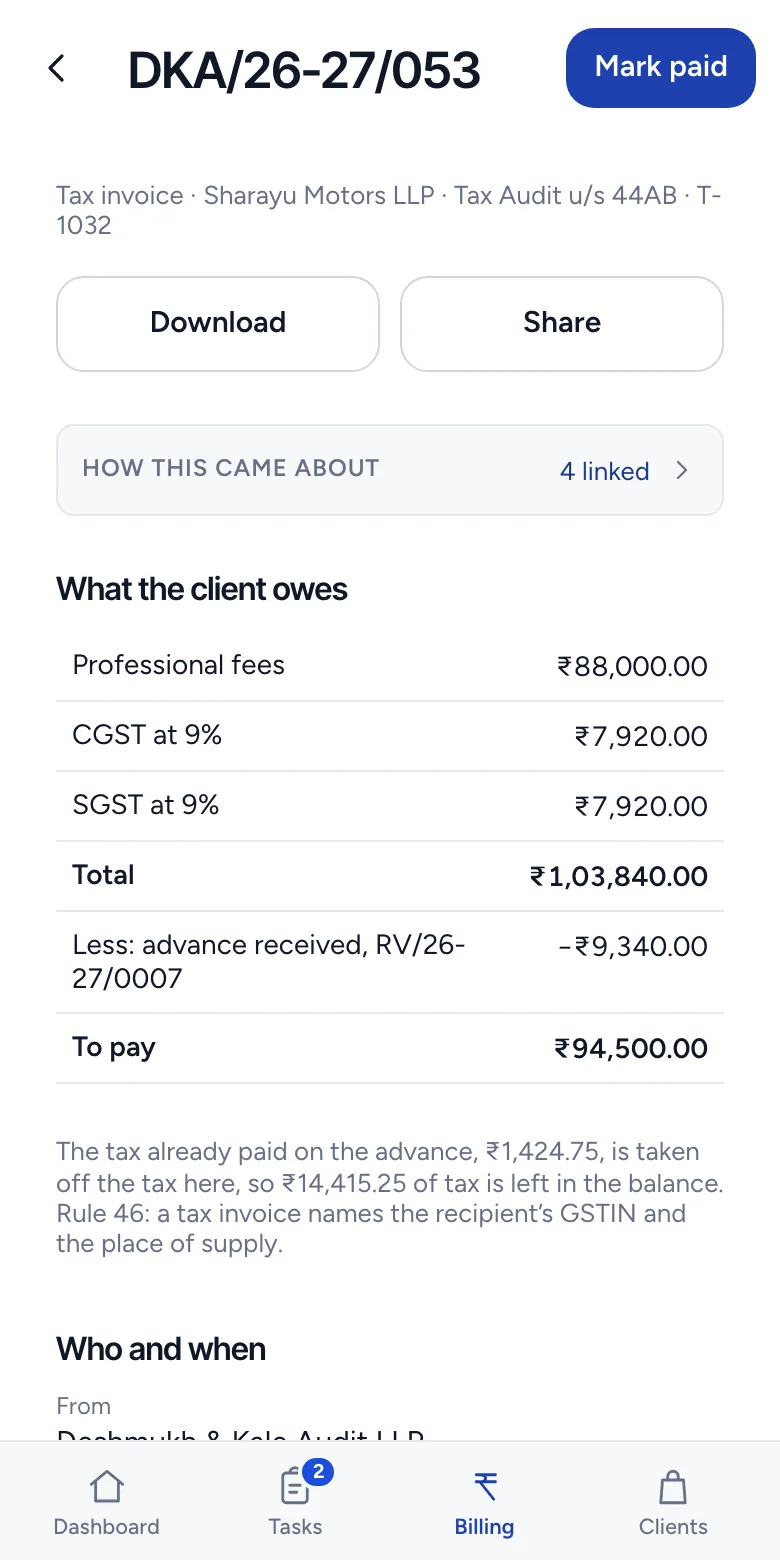
Raises the bill from the completed task, numbered in that entity's own series: a GST tax invoice with its tax split, or a Bill of Supply if the entity is not registered.
A task needs a client and a fee before it can be billed, and the entity's details must be complete first. Once the tax invoice is issued it cannot be un-raised.
- 8
Paid, and closed
Whoever raises bills
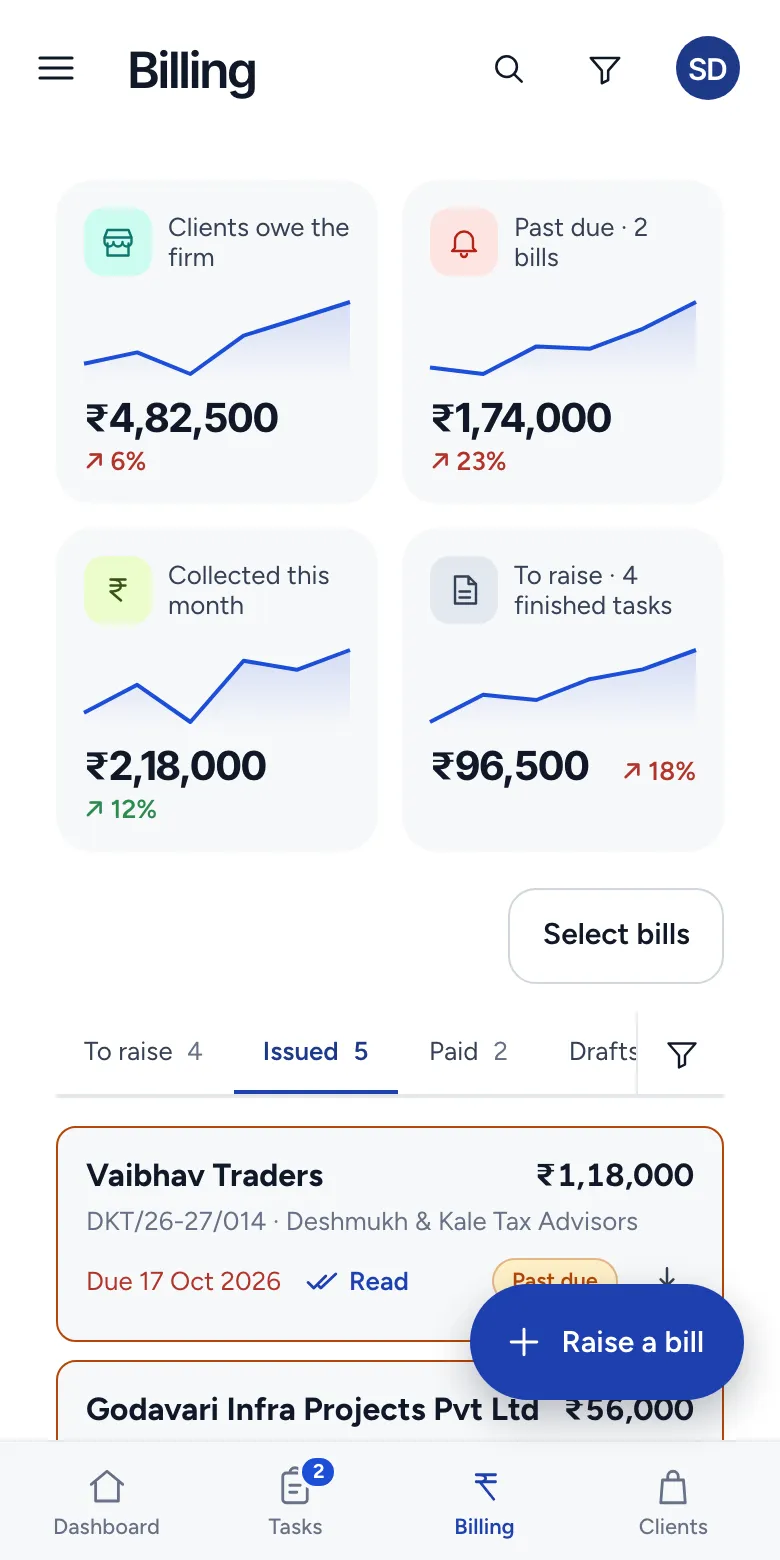
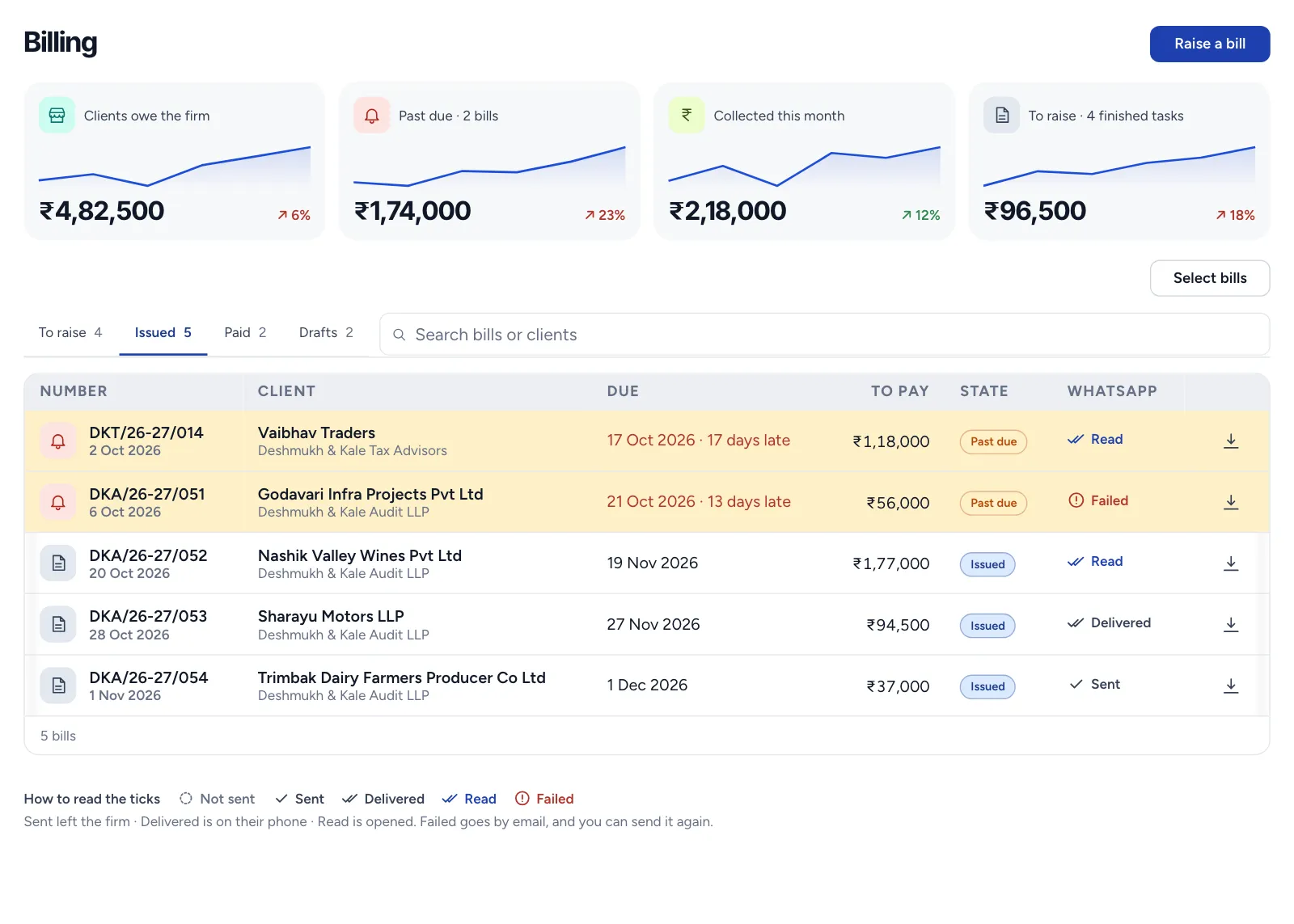
Marks the bill paid. Billing shows what clients owe, what is past due and what is still to raise, across the entity.
A bill can be marked paid only once its invoice is issued.

The words describe what T4Suite does. The screens are drawn from its current design with sample data, so a screen can be ahead of the product in places.
See one of your own engagements this way
We'll walk a real piece of your firm's work through these stages.